2014-10-10
2014-10-04
Blank project error after Qt installation
cannot find -lGL
error: collect2: error: ld returned 1 exit status
Solution:
$ sudo apt-get install libgl1-mesa-dev
2014-10-02
2014-09-29
Using rsync over ssh
rsync-ssh-download.bash
rsync-ssh-upload.bash
-----------------------------------------------------------------------
#! /bin/bash
# SOURCE
SSH_PORT=22
SSH_USER="userA"
SSH_HOST="192.168.0.5"
SSH_PATH="/home/userA/"
# DESTINATION
DST="/home/userB/backup/"
DST_CHOWN="userB"
SRC="${SSH_USER}@${SSH_HOST}:${SSH_PATH}"
CHECK_FAIL=0
if [ ! -f "/usr/bin/ssh" ]; then
echo "ssh not found!"
CHECK_FAIL=1
fi
if [ ! -f "/usr/bin/rsync" ]; then
echo "rsync not found!"
CHECK_FAIL=1
fi
if [ ! -f "/usr/bin/sshpass" ]; then
echo "sshpass not found!"
CHECK_FAIL=1
fi
if [ "$(id -u)" != "0" ]; then
echo "not root"
CHECK_FAIL=1
fi
if [ $CHECK_FAIL -eq 1 ];then
exit 0
fi
read -s -p "Enter SSH Password: " pswd
echo ""
echo "Connecting..."
/usr/bin/rsync --verbose --recursive --append --links --copy-dirlinks \
--hard-links --perms --executability --times --delete --chown=${DST_USER}:${DST_USER} \
--rsh="/usr/bin/sshpass -p '${pswd}' ssh -p ${SSH_PORT} -o StrictHostKeyChecking=no -l ${SSH_USER}" $SRC $DST
du ${DST} --max-depth=0 --block-size=MB
echo "Complete"-----------------------------------------------------------------------rsync-ssh-upload.bash
-----------------------------------------------------------------------#! /bin/bash
# SOURCE
SRC="/home/userB/backup/"
# DESTINATION
SSH_PORT=22
SSH_USER="userA"
SSH_HOST="192.168.0.5"
SSH_PATH="/home/userA/"
DST_CHOWN="userA"
DST="${SSH_USER}@${SSH_HOST}:${SSH_PATH}"
CHECK_FAIL=0
if [ ! -f "/usr/bin/ssh" ]; then
echo "ssh not found!"
CHECK_FAIL=1
fi
if [ ! -f "/usr/bin/rsync" ]; then
echo "rsync not found!"
CHECK_FAIL=1
fi
if [ ! -f "/usr/bin/sshpass" ]; then
echo "sshpass not found!"
CHECK_FAIL=1
fi
if [ "$(id -u)" != "0" ]; then
echo "not root"
CHECK_FAIL=1
fi
if [ $CHECK_FAIL -eq 1 ];then
exit 0
fi
du ${SRC} --max-depth=0 --block-size=MB
read -s -p "Enter SSH Password: " pswd
echo ""
echo "Connecting..."
/usr/bin/rsync --verbose --recursive --append --links --copy-dirlinks \
--hard-links --perms --executability --times --delete --chown=${DST_USER}:${DST_USER} \
--rsh="/usr/bin/sshpass -p '${pswd}' ssh -p ${SSH_PORT} -o StrictHostKeyChecking=no -l ${SSH_USER}" $SRC $DST
echo "Complete" -----------------------------------------------------------------------
2014-09-17
Splitting merging and converting audio files on Linux is easy
I always try to avoid lossy audio formats but sadly it is not always possible.
Three days a week my trip to work takes about 75min x 2.
Radio some times annoy me. May Car CD player supports only Audio disks.
So by now I have 35 of them...
Half of them is not music. I have documentary audio, vocabulary course, etc...
Depending on the mood, some times smart people talking, makes the time on the trip go faster...
It's very inconvenient to manage CD while driving when you have more then 4. Also They scratch constantly...
So I bought FM Modulator. It's not very expensive and it's a little bit better solution. My FM Modulator support only *.mp3 and *.wma formats.
Now instead of burning CD's, I make proper *.mp3 file to SD card.
It is gratifying that there is a graphical tools on Linux, that is really easy to use.
Only one thing I do in command line is:
$ normalize-audio ./file.mp3
IMPORTANT: every time you convert file to lossy audio format, you always loose quality. So if you need final result to be for example *.mp3, make sure you converted only once!
Three days a week my trip to work takes about 75min x 2.
Radio some times annoy me. May Car CD player supports only Audio disks.
So by now I have 35 of them...
Half of them is not music. I have documentary audio, vocabulary course, etc...
Depending on the mood, some times smart people talking, makes the time on the trip go faster...
It's very inconvenient to manage CD while driving when you have more then 4. Also They scratch constantly...
So I bought FM Modulator. It's not very expensive and it's a little bit better solution. My FM Modulator support only *.mp3 and *.wma formats.
Now instead of burning CD's, I make proper *.mp3 file to SD card.
It is gratifying that there is a graphical tools on Linux, that is really easy to use.
wavbreaker
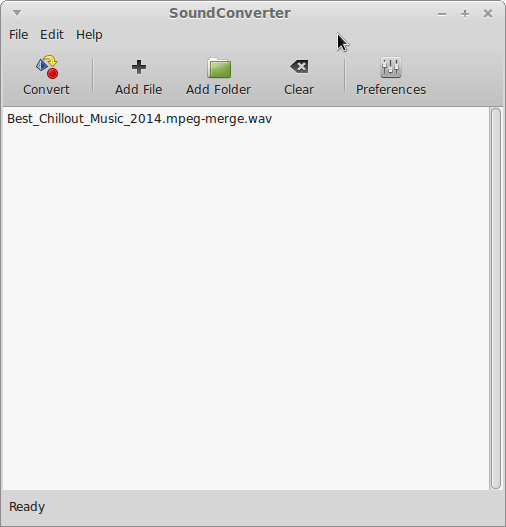
soundconverter
Only one thing I do in command line is:
$ normalize-audio ./file.mp3
IMPORTANT: every time you convert file to lossy audio format, you always loose quality. So if you need final result to be for example *.mp3, make sure you converted only once!
2014-09-04
How should I call this?
LAMP = Linux + Apache HTTP Server + MySQL relational database management system + PHP
???? = Linux + Lighttpd + Sqlite + PHP-cgi;
Subscribe to:
Posts (Atom)


.png)